Dashboard Home
The Dashboard Home page provides a complete overview of platform data and allows administrators to quickly monitor important website sections.
It displays dynamic data from multiple modules including:
- Services
- Home Services
- Leadership
- Departments
The dashboard is designed with a modern responsive UI and supports both Grid and Table views.
Dashboard Overview
The dashboard automatically fetches live data from the backend APIs.
Connected APIs
| Module | API Endpoint |
|---|---|
| Services | /api/services |
| Home Services | /api/home-services |
| Leadership | /api/leadership |
| Departments | /api/department |
Authentication
Before loading dashboard data, the system checks for an authentication token stored in local storage.
If the token does not exist, the user is redirected to the login page automatically.
Features
- Secure route protection
- Automatic redirect
- Token-based authentication
Main Sections
The Dashboard Home contains the following sections:
- Services
- Home Services
- Leadership
- Departments
Each section supports:
- Grid View
- Table View
- Pagination
- Responsive Design
- Loading Skeletons
Services Section
The Services section displays all available services managed by the platform.
Features
- View service title
- View Arabic translation
- Display service items
- Grid and Table layouts
- Pagination support
Grid View
The Grid View displays services in modern cards.
Each card contains:
- English title
- Arabic title
- Service items list
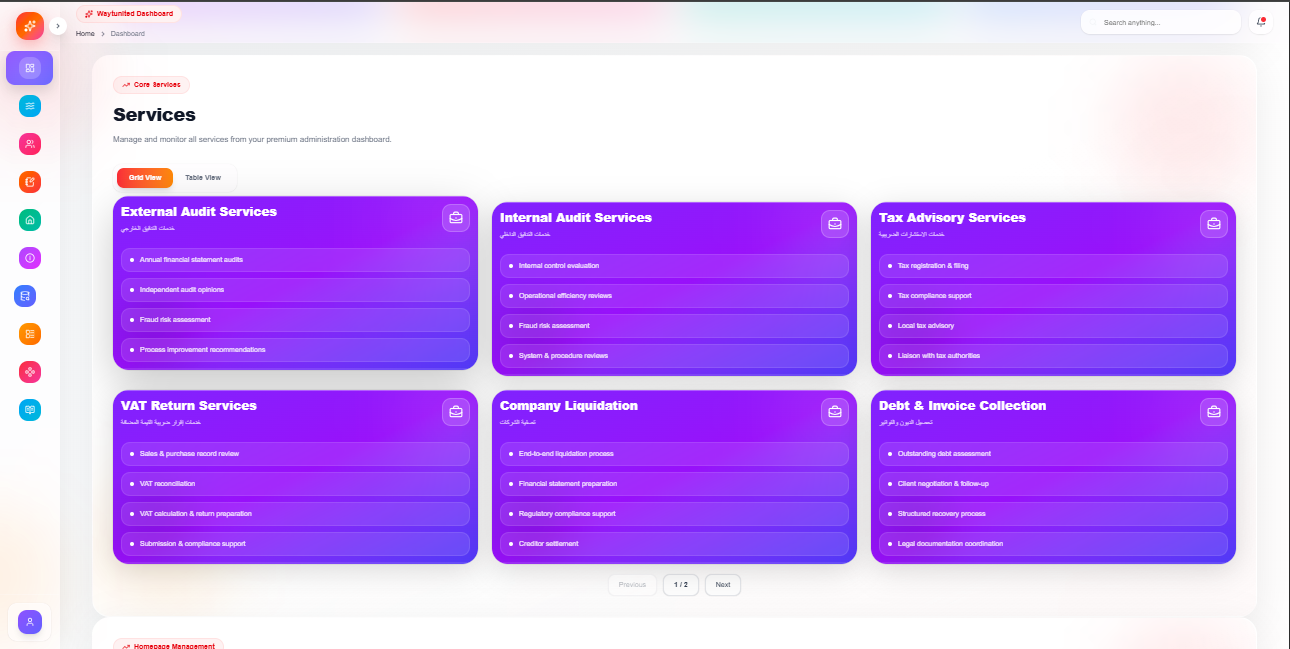
Table View
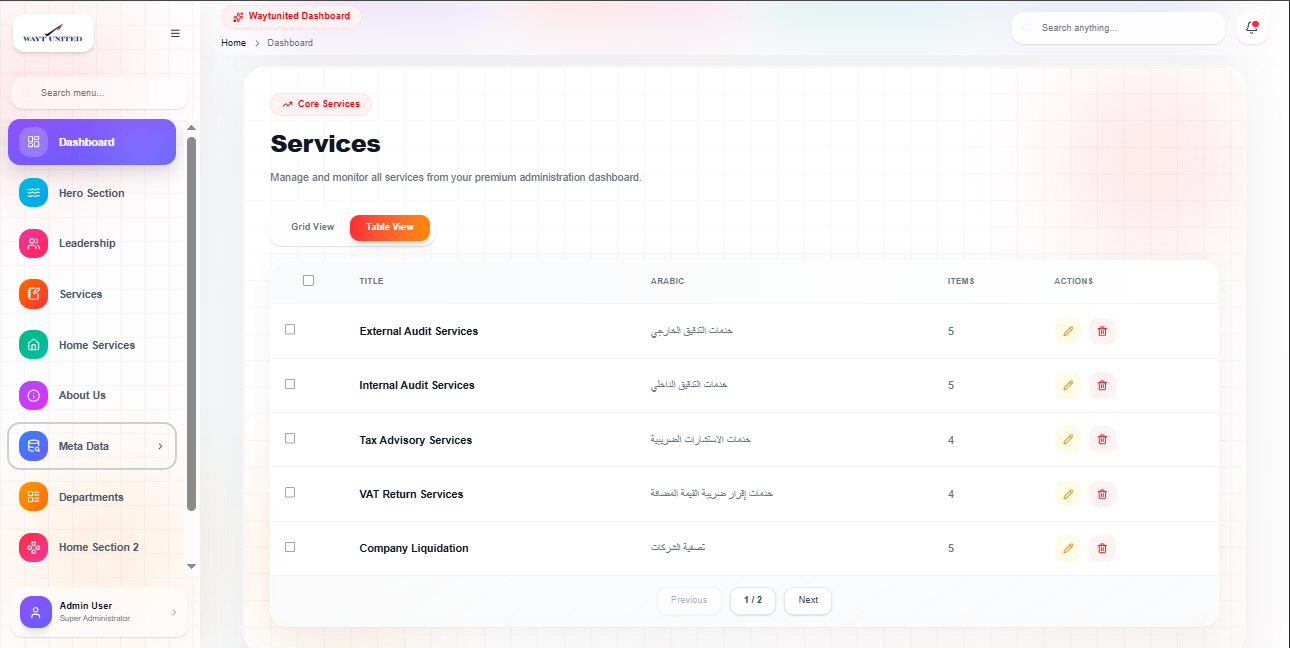
The Table View displays structured service data in tabular format.
Columns
- Title
- Arabic
- Items
- Actions
Actions
- Edit
- Delete
Home Services Section
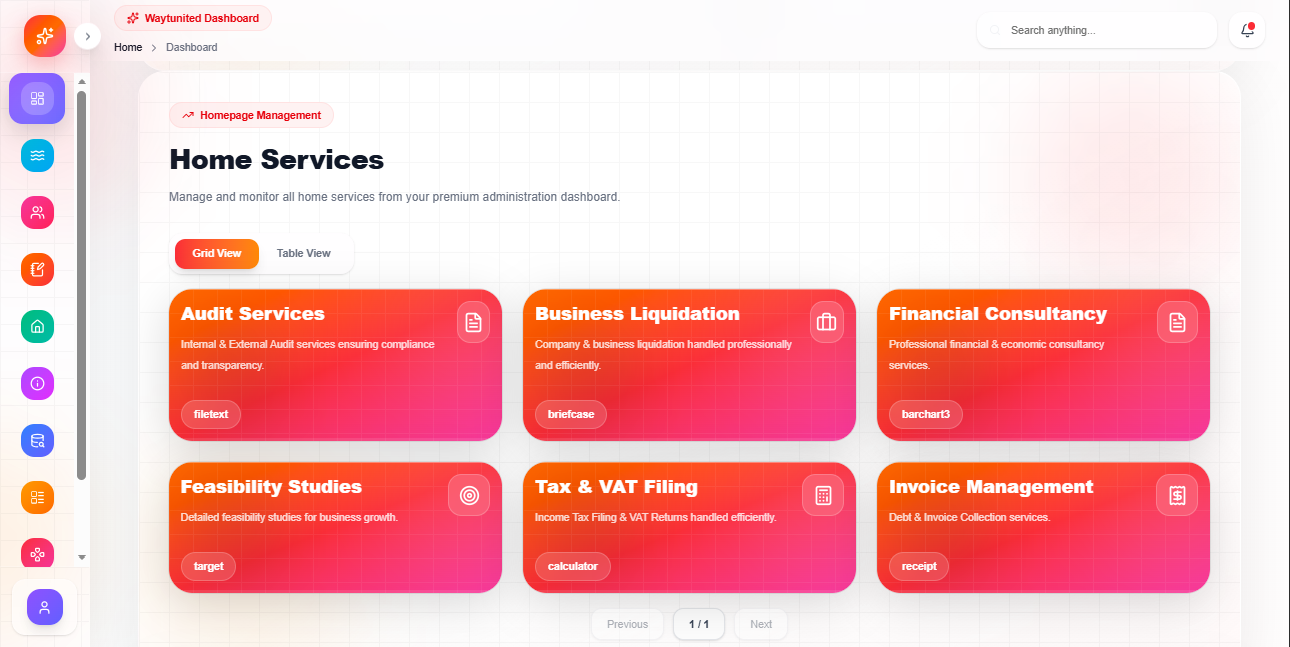
The Home Services section manages homepage service cards.
Features
- Dynamic content display
- Service description
- Service key badges
- Grid and Table modes
Grid View Features
Each card displays:
- Service title
- Description
- Key badge
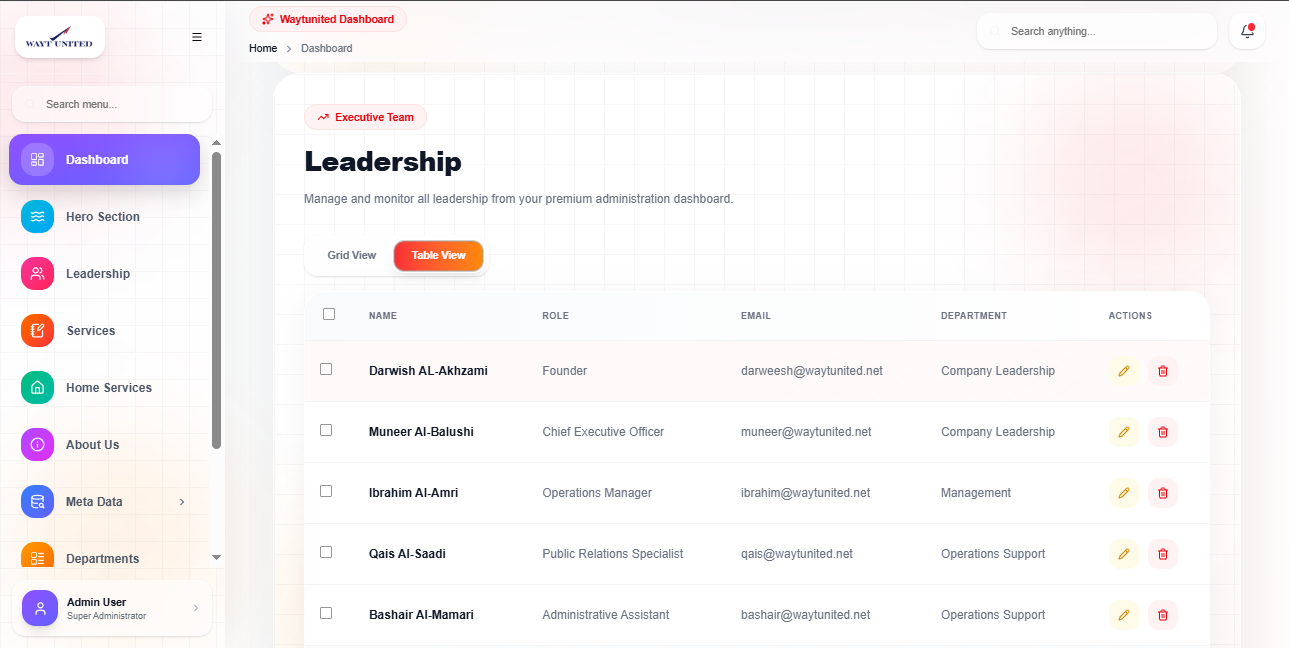
Leadership Section
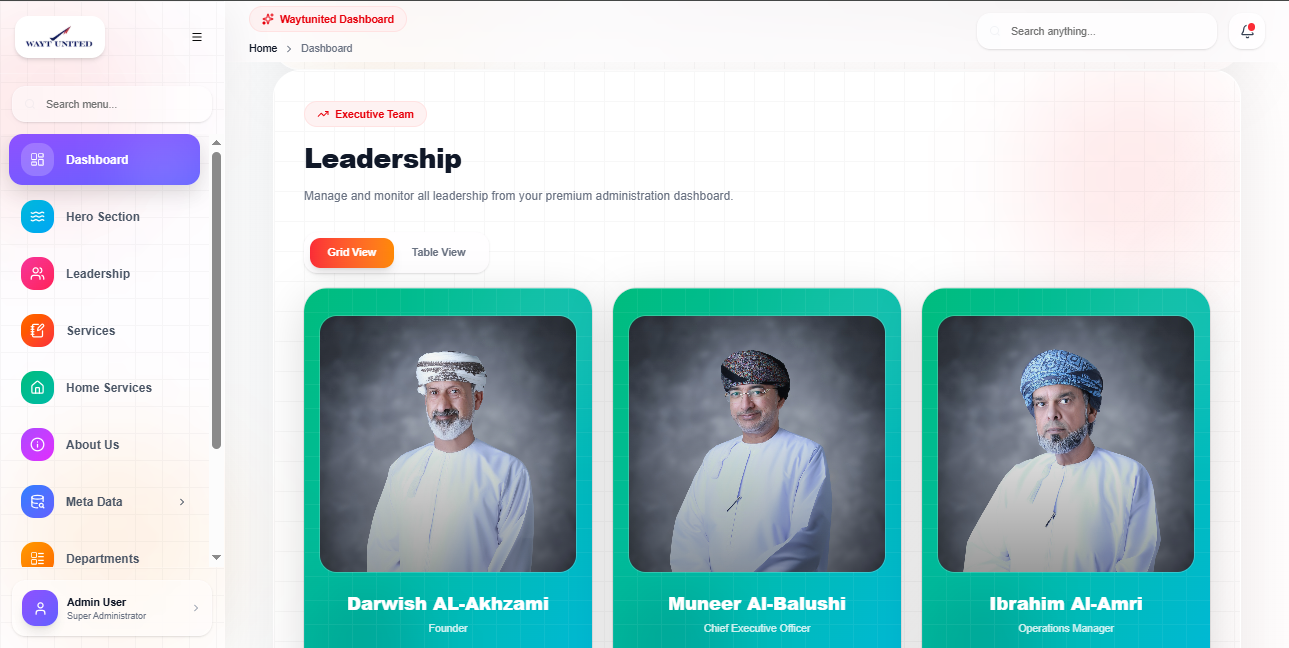
The Leadership section displays leadership members and management staff.
Features
- Leadership image
- Name
- Role
- Department
- Email support
Leadership Card
Each leadership card contains:
- Profile image
- Full name
- Position/role
- Optional email
Leadership Table
The table layout contains:
| Column | Description |
|---|---|
| Name | Leader name |
| Role | Leadership role |
| Contact email | |
| Department | Assigned department |
Departments Section
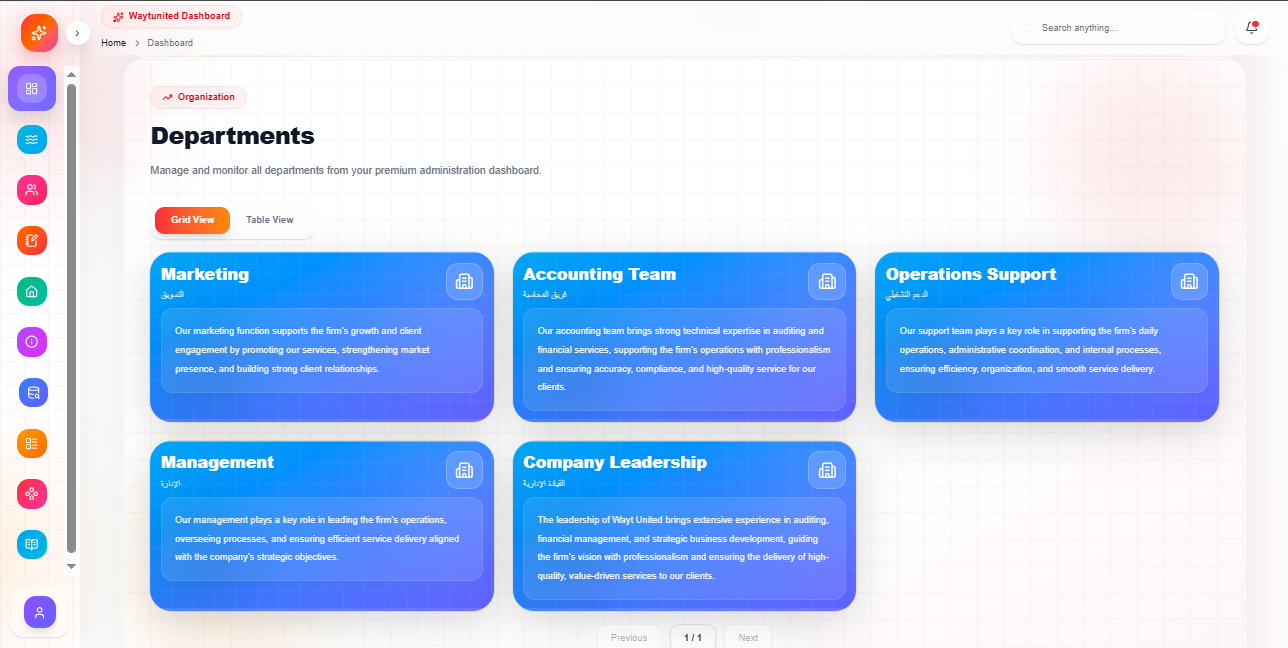
The Departments section displays organization departments.
Features
- Department name
- Arabic translation
- Description
- Responsive cards
Department Card
Each department card contains:
- English name
- Arabic name
- Department description
Grid and Table Toggle
Each section includes a modern toggle switch.
Available Views
Grid View
Best for:
- Visual browsing
- Cards layout
- Mobile experience
Table View
Best for:
- Structured data
- Large datasets
- Quick management
Pagination System
Pagination is implemented for both Grid and Table views.
Features
- Previous button
- Next button
- Current page indicator
- Dynamic page calculation
Example
Page 1 of 5
Table Selection System
The table view supports row selection using checkboxes.
Features
- Select individual rows
- Select all rows
- Highlight selected rows
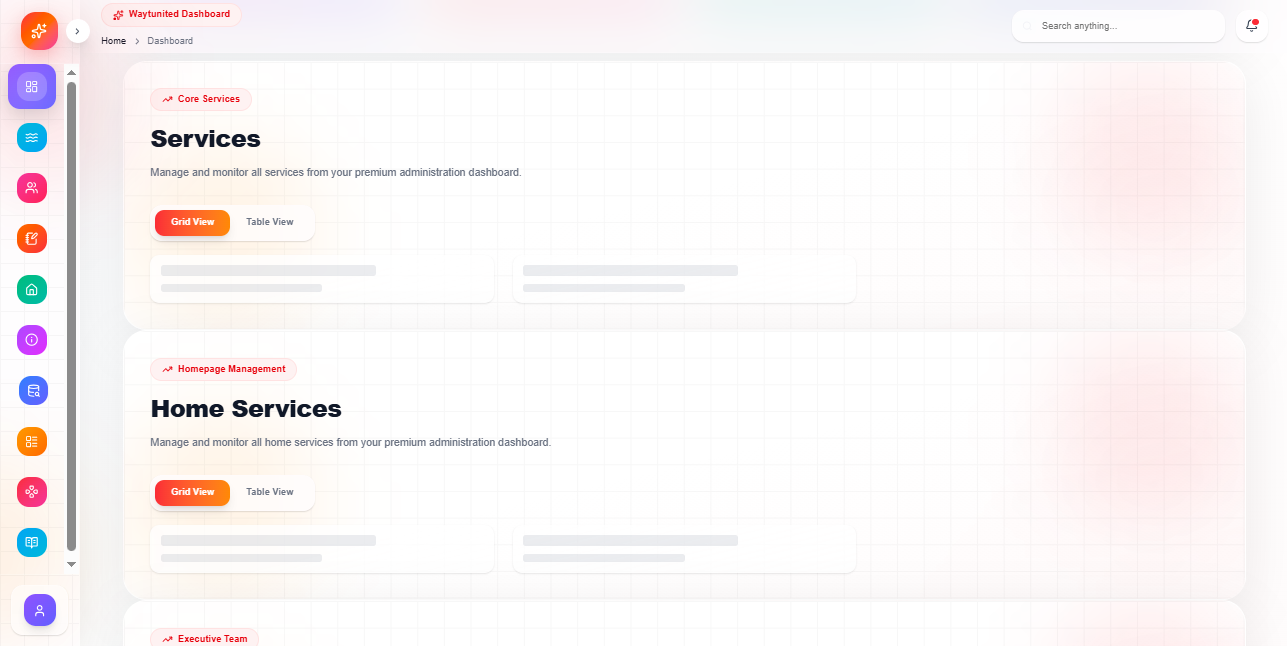
Loading Skeletons
While data is loading, skeleton loaders are displayed.
Benefits
- Better user experience
- Smooth loading transitions
- Modern interface feel
Skeleton Types
- Card skeletons
- Table skeletons
Responsive Design
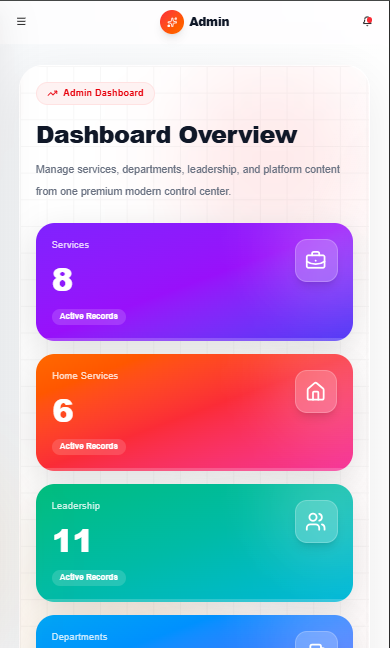
The dashboard is fully responsive across all devices.
Desktop Features
- Multi-column grid layout
- Full table view
- Hover animations
Tablet Features
- Responsive grid resizing
- Optimized spacing
Mobile Features
- Single-column layout
- Scrollable tables
- Touch-friendly UI
UI Components Used
The dashboard uses reusable UI components for consistency.
Components
- Card
- Badge
- Pagination
- Table
- Grid
- Skeleton Loader
Animations and Styling
The dashboard uses modern styling techniques.
Styling Features
- Tailwind CSS
- Rounded cards
- Soft shadows
- Hover effects
- Smooth transitions
- Backdrop blur effects
Error Prevention
The dashboard includes multiple safeguards.
Security Features
- Authentication checks
- Safe API loading
- Optional chaining
- Empty state handling
Best Practices
Recommended Usage
- Use Grid View for visual browsing
- Use Table View for management tasks
- Keep data updated regularly
- Verify records before deletion
Summary
The Dashboard Home provides a centralized overview of all major platform modules with:
- Modern responsive design
- Grid and table layouts
- Pagination system
- Dynamic API integration
- Leadership management
- Service management
- Department overview
- Loading states
- Interactive UI components